
Show your Token Forest on your GitHub README
A live badge showing your display name, tree species, growth stage, total tokens, and worldwide rank — pasted once into your GitHub profile README. It updates itself as your forest grows; you never touch the README again.
Updated 2026-07-17
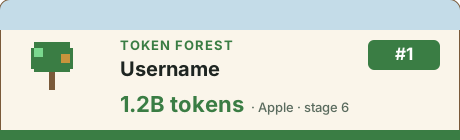
What it is
The badge is a small image served from a URL, so it always shows your current stats — you never edit your README to keep it fresh. It shows only what is already public on the leaderboard for players who opted in, and reveals nothing new about you.
Step 1 — Turn on the leaderboard
Your badge only exists once you have joined the leaderboard. Open Token Forest, open its menu, and under “🏆 Leaderboard” switch it to On. The app shows a one-time dialog listing exactly what it will upload — confirm it. Until you do this, “Badge Setup…” stays greyed out, and your badge would show a generic Token Forest image instead of your stats.
Step 2 — Open Badge Setup in the app
In the menu, open “🏆 Leaderboard”, then choose “Badge Setup…”.
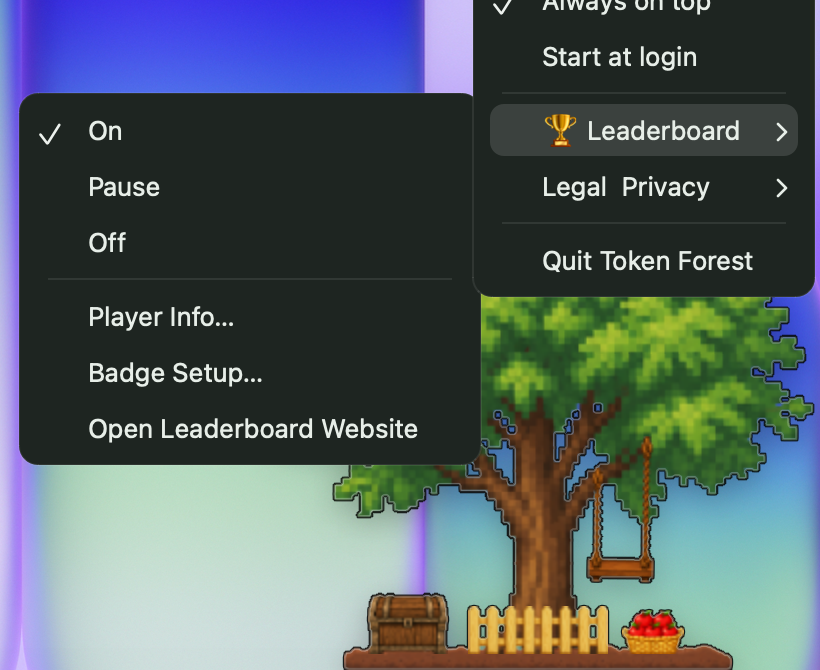
Step 3 — Copy your badge
In the Badge Setup window, click “Copy My Leaderboard Badge”. It copies one line of Markdown to your clipboard — your own ID is already filled in, so there is nothing to edit.
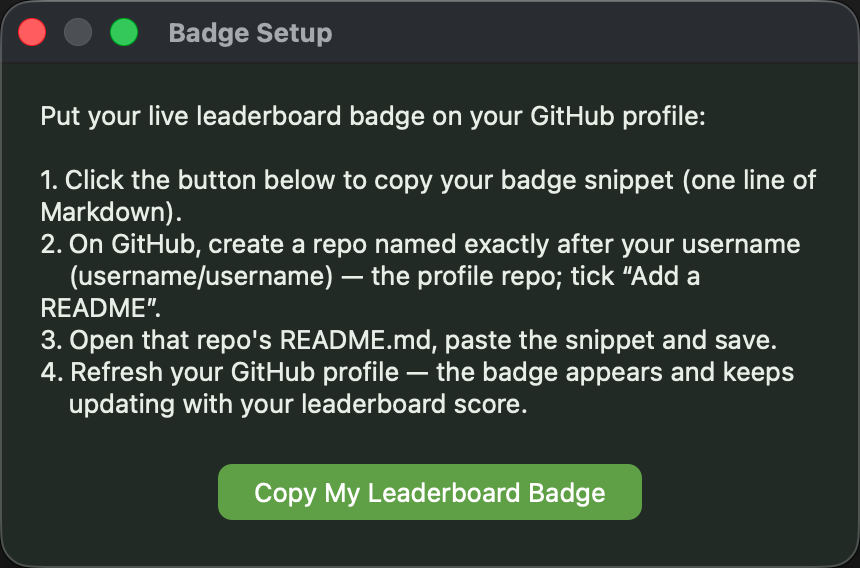
Step 4 — Paste it into your GitHub profile
- On GitHub, create a new repository named exactly after your username (username/username) — this is your special “profile” repo. It must be Public, or the README won't show on your profile. Tick “Add a README” when you create it.
- Open that repo's README.md, paste the line you copied, and save.
- Refresh your GitHub profile — the badge appears, and updates itself as your leaderboard score grows.
The line you paste looks like this — the app fills in your ID for you:
[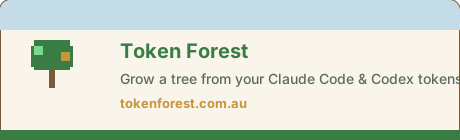](https://tokenforest.com.au/en/leaderboard)
Not showing your stats?
- ✦It shows a plain tree instead of your name: the leaderboard is off, or you just turned it on and it hasn't synced yet (the app syncs about every 30 minutes). Turn it on, wait, then reload.
- ✦It looks out of date: the image is cached for about 10 minutes so READMEs stay fast. Your next visit shows the fresh numbers.
- ✦Nothing appears on your profile: the repo must be named exactly like your username (username/username), be Public, and contain a README.
Privacy
The badge shows only your display name, tree species, growth stage, token total, and rank — the same fields already visible on the public leaderboard, and only if you opted in. It never exposes your code, your prompts, or any time-of-day breakdown. If you leave the leaderboard, the badge reverts to a generic Token Forest image — already-cached copies refresh within about 10 minutes.
Questions
Do I need a Token Forest account?
No account and no login. The badge is tied to the anonymous ID the app already holds on your device — that is why you copy it from inside the app rather than from this website.
Can I put the badge somewhere other than a GitHub README?
Yes. It is an ordinary image URL, so it works anywhere that allows images — a GitLab README, a personal site, a blog. The Markdown snippet is just the GitHub-friendly form of the same image.
Why does my badge show a generic tree instead of my stats?
Either the leaderboard is off (turn it on in the app), you enabled it moments ago and it has not synced yet, or the ID is not recognised. The generic image is also what a stranger sees, so it never reveals whether an account exists.
Grow a forest worth showing off
Token Forest turns the Claude Code and Codex tokens you spend into a living pixel tree, with a global leaderboard behind it. Free, Windows and macOS.